

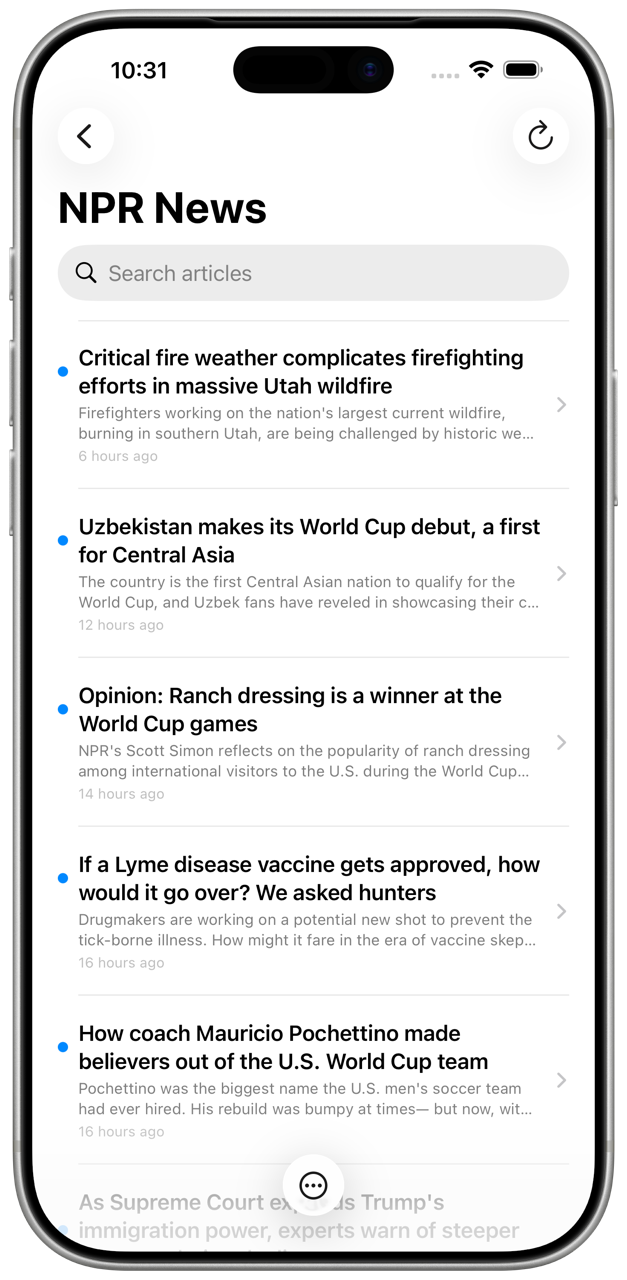
What you get
Everything you need. Nothing you don't.
Basic Reader strips RSS reading down to what matters: fast, clean access to the content you follow — without any of the bloat, dark patterns, or monthly bills that have crept into the category.
Included in every download
Folders & Organization
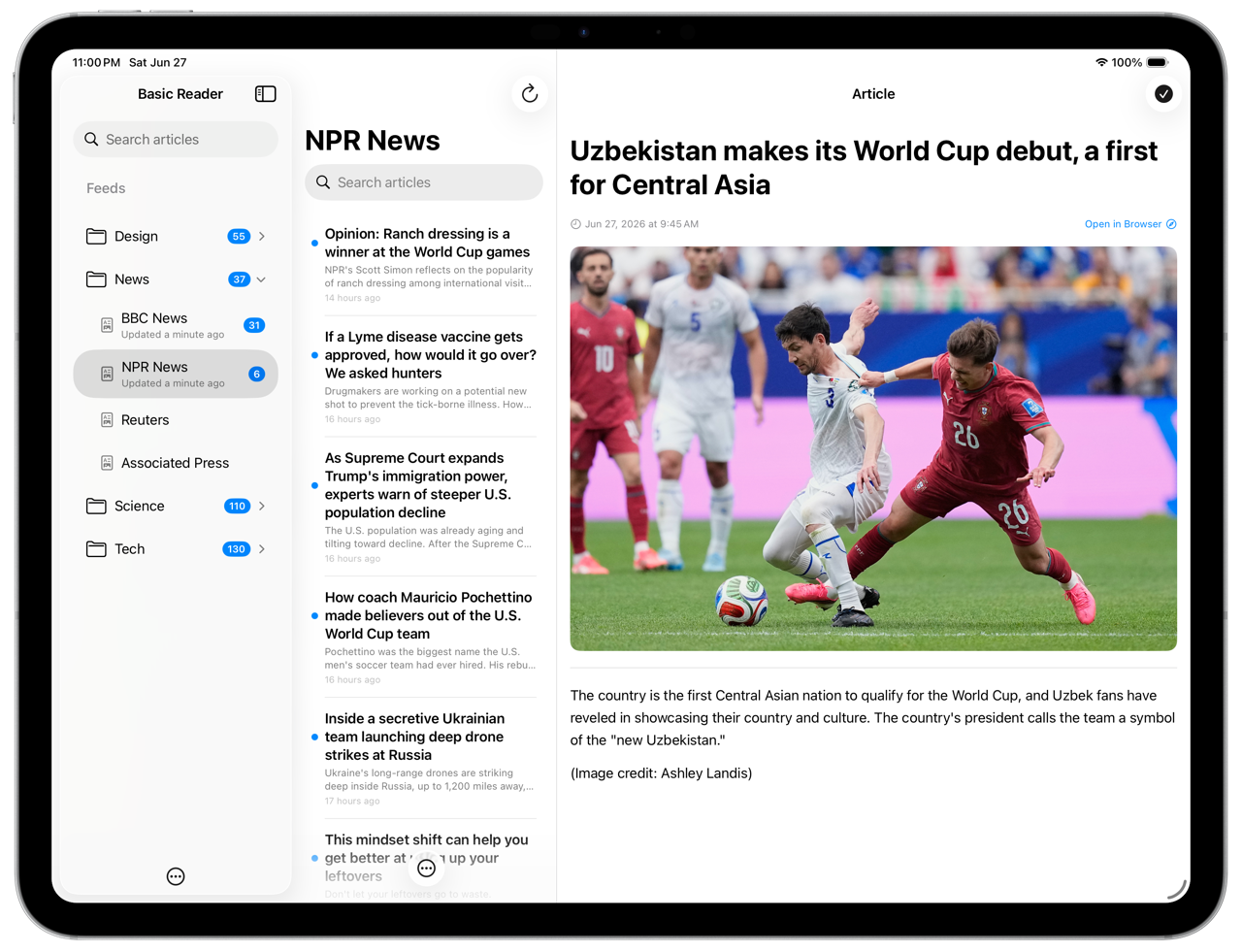
Group feeds into collapsible folders with drag-and-drop reordering. Unread counts show at a glance on every feed and folder.
OPML Import & Export
Bring your existing subscriptions in from any reader. Take them out just as easily. Your data is never held hostage.
Background Auto-Refresh
Your feeds update automatically on a configurable schedule, subject to iOS limitations. No manual refreshing required.
iPhone, iPad & Mac
One purchase, three platforms. A full three-column layout on iPad and Mac; a clean adaptive UI on iPhone.
Starred Articles
Star any article to save it for later. Starred articles sync across all your devices via iCloud.
Feels Native on Mac
Full keyboard shortcuts (J/K, M, S, O, Cmd+R, Cmd+N), right-click context menus, and a native menu bar — not an iOS app stretched to fit.
Built-in Browser
Read articles without leaving the app. Choose to open links in the built-in browser or hand off to Safari — per article, your call.
Feed Preview
See a feed's description, article count, and a few sample articles before you subscribe.
Reading Time
A "min read" estimate on every article row, so you can pick something that fits the time you have.
Text Size & Reading Width
Set the text size and choose a narrow, normal, wide, or full-width column for the way you like to read.
Quick Actions
Copy a link or an article's text, or mark everything older or newer as read. Swipe or long-press feeds and folders for more.
Accessibility First
Full VoiceOver support, Dynamic Type scaling, and Reduce Motion respect — built in from the start, not bolted on after.
Unlocked with one purchase
A single one-time purchase — never a subscription — unlocks everything below.
Semantic Search
Search across all your articles instantly. Results are re-ranked using an on-device AI model for semantic relevance — so you find what you mean, not just what you typed. Works in English, French, German, Spanish, Italian, and Portuguese. Nothing leaves your device.
Full Articles
For feeds that only send a summary, fetch the whole story in a clean reading view, extracted on your device without running the site's scripts. Switch per article, or make it your default.
Article View Styles
Browse your feeds as a list, compact thumbnails, or full image cards — switch anytime from Settings.
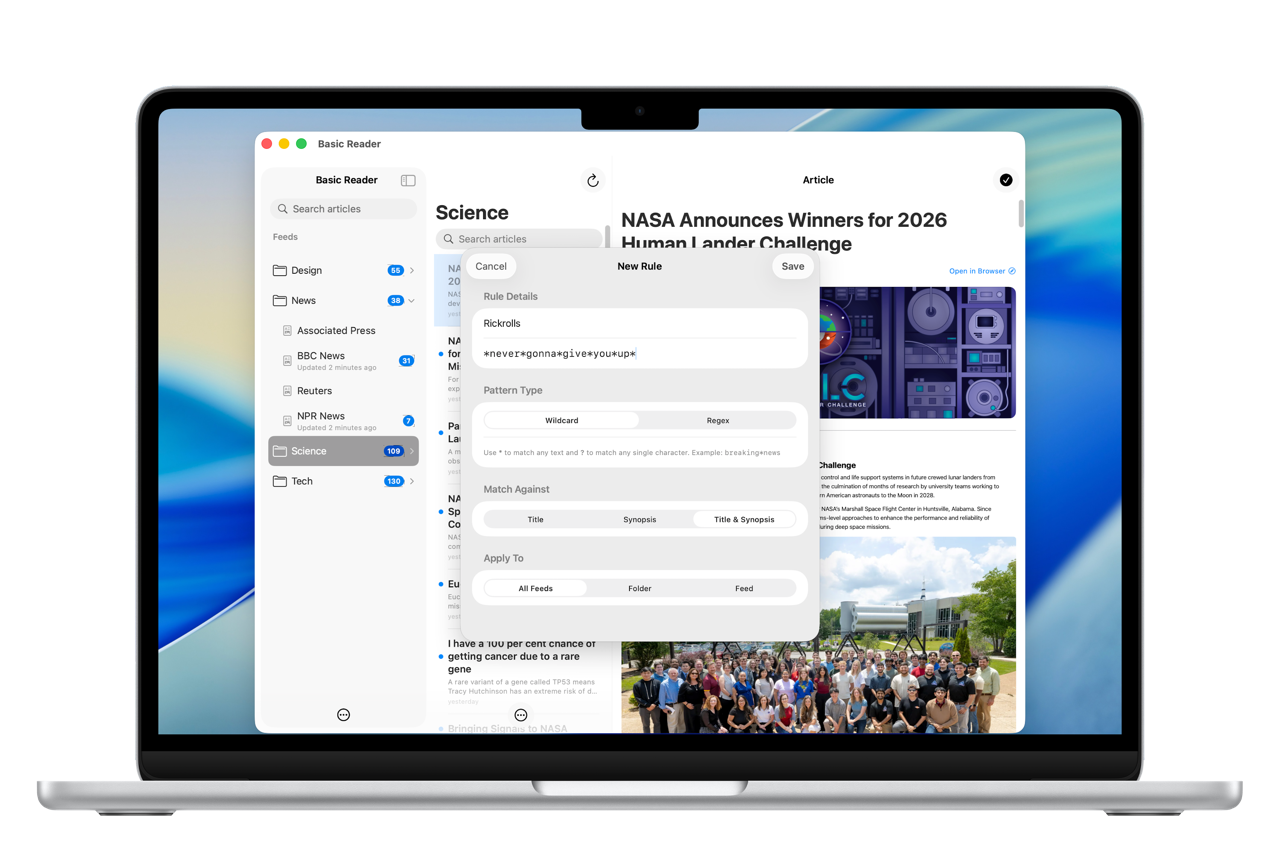
Powerful Filter Rules
Hide the noise with wildcard or regex filters, or describe a topic and let on-device semantic matching catch articles about it even when the exact words differ. Apply rules globally, per folder, or per feed, against titles, summaries, or both. A filtered indicator shows which rule matched.
Timeline
See every unread article across all your feeds in one place — sorted, filtered, and searchable just like any other view.
Share Extension
Add a feed straight from Safari's share sheet. Share a news site's page and Basic Reader finds its feed for you. iPhone and iPad.
Mark as Read on Scroll
Turn it on and articles you scroll past are marked read for you, with a short pause so scrolling back cancels it.
Feed Health
A warning icon marks feeds that keep failing, and the context menu shows you why.
Article Retention
Choose how long read articles are kept, from a week to a year, to keep your library lean.
iCloud Sync
Feeds, folders, filter rules, read status, and preferences sync automatically across all your devices via iCloud — no account required beyond your Apple ID.
Included vs. the competition
Subscription elsewhere. Included here.
Popular RSS apps routinely charge $8–10/month for features that should come standard. Here's how Basic Reader compares — everything below comes from a single one-time purchase, never a subscription.
Content Filter Rules
Wildcard, regex, and semantic topic filters that hide articles by title or summary, scoped to any feed or folder. Inoreader's free tier has no rules or filters at all — Pro is required ($7.50/month, billed annually). Basic Reader: included in the one-time purchase.
Automatic Background Refresh
Feeds refresh automatically on a configurable schedule, based on iOS limitations, while the app is in the background. Inoreader's free tier has no guaranteed refresh rate; guaranteed hourly refresh is Pro-only ($7.50/month, billed annually).
OPML Import & Export
Full portability, in and out. Import your current feed list from any other reader; export at any time. Inoreader restricts automatic OPML backups to Pro subscribers. Basic Reader exports freely, always.
iCloud Sync
Feeds, folders, filter rules, read status, and starred articles sync across all your devices via iCloud. Inoreader's own FAQ states an active subscription is required to use their iOS and Android apps. Basic Reader uses your existing Apple ID — no new account, no subscription, just the one-time purchase.
Semantic Search
Search finds what you mean, not just what you typed — powered by an on-device AI model. Readwise Reader bundles semantic search into its $9.99/month (billed annually) plan. Basic Reader runs it entirely on your device, included in the one-time purchase — never a recurring bill.
Platform support
At home on every Apple screen.
Basic Reader is built natively in SwiftUI and runs on iOS, iPadOS, and macOS — with a UI that's designed for each form factor, not just stretched to fit.
Privacy
Your reading habits are nobody's business.
Basic Reader has no account system, no analytics SDK, and no backend of its own. Your data lives on your device and, if you choose, in your own iCloud account — never on ours.
No Analytics
Zero tracking SDKs. We have no idea what you read, and we intend to keep it that way.
No Account Required
Download and go. No email address, no sign-up, no password to forget.
Your Data, Your Cloud
Your feeds and articles live on your device and sync via your own iCloud account — not ours. We have no servers and no access to your data.
Image Loading Control
Disable automatic image loading to block tracking pixels and cut data usage.
News